September 30, 2026 | Microsoft Copilot & AI | 5 min read
The New Microsoft Copilot: From Chat to Getting Work Done
AI assistants started with a simple idea: ask a question and get an answer.
But the way we work with AI is changing.
Microsoft's new Copilot experience is moving beyond chat and bringing together capabilities to help us ask, build, delegate and automate work.
On September 25, 2026, Microsoft introduced a new Copilot experience with Home, Code and Autopilot. The update brings together conversation, solution building and longer-running agentic work in one experience.
1. Home - One Place to Start
Home becomes the starting point for Copilot. It brings Chat and Cowork together so users can move between quick questions and larger tasks.
- Chat helps with quick questions, lookups, drafts and everyday assistance.
- Cowork is designed for work that can be delegated and completed end-to-end.
- Recent activity and suggestions help users continue work from where they left off.
Microsoft is also bringing Word, Excel and PowerPoint directly into Copilot through Office in Copilot. This makes it possible to draft documents, model budgets, build presentations and update existing files without repeatedly switching applications.
2. Code - Build Solutions Using Natural Language
One of the most interesting additions for me is Code. It moves solution building beyond developers alone.
Users can describe an app, tracker, dashboard, automation or workflow in natural language and Copilot can choose an approach and build it.
Microsoft says Code is powered by the same underlying technology as GitHub Copilot. It runs in a sandboxed environment and can be hosted securely within an organization's tenant.
This is an interesting shift because the unit of knowledge work is no longer only the document, spreadsheet or presentation. Small, purpose-built solutions become another way to get work done.
3. Autopilot - AI That Keeps Working
Autopilot, previously called Scout, takes the assistant concept another step forward.
Microsoft describes Autopilot as a persistent, proactive and personal digital teammate. You give it a name, a role and a goal, and it can continue working without waiting for every individual prompt.
- Watch channels and follow up on conversations.
- Run recurring work.
- Pick up projects again later.
- Help manage processes such as supplier reviews.
Autopilot is cloud-hosted, so it can continue working while the user is away. It also operates within the organization's tenant with permissions, audit and governance.
4. From Chat to Create to Delegate
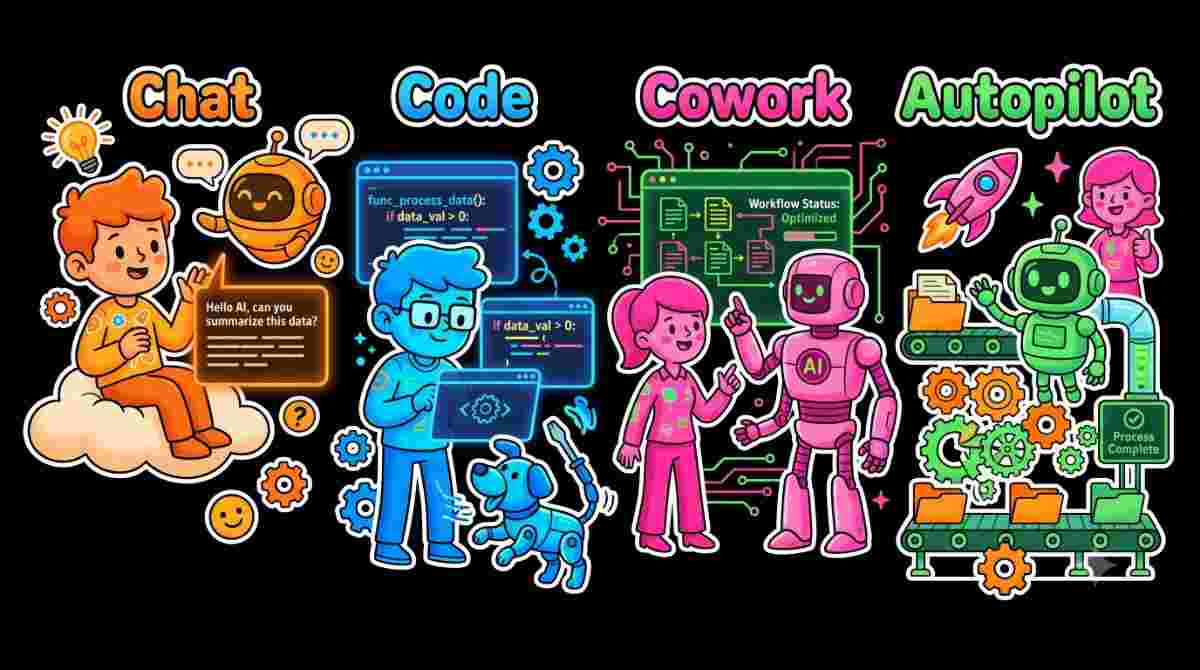
When I look at these capabilities together, I see a simple progression in how we can work with AI:
- Chat – Tell me something.
- Code – Build something for me.
- Cowork – Complete this work for me.
- Autopilot – Keep working on this for me.
The question is gradually moving from “What can AI tell me?” to “What can AI help me accomplish?”
5. Business Context Is Becoming More Important
Another important part of Microsoft's announcement is Microsoft IQ. Copilot is being grounded in business context across the Microsoft ecosystem.
Microsoft says Fabric IQ brings trusted context from organizational data into Copilot, while integrations with Dynamics 365 and Power Platform are also expanding.
This matters because an AI assistant becomes much more useful when it understands the business context, not just the words in a prompt.
6. What Does This Mean for Product Teams?
As someone working across product and technology, this is the part I find particularly interesting.
AI is becoming part of the complete product development cycle:
Idea → Requirements → Design → Development → Testing → Release → FeedbackAI can support different stages of this journey, but the responsibility for defining the right problem, business value, priorities and user experience still remains with people.
- Product teams can spend more time understanding customer problems and value.
- Developers can focus more on architecture, security and complex engineering.
- QA teams can use AI to generate scenarios and focus on quality and edge cases.
- Business users can create smaller solutions that previously required development effort.
7. The Bigger Picture
The new Copilot experience shows an important direction for AI.
We are moving from AI as a chatbot toward AI as a work partner.
Home helps us start and organize work. Code helps us build. Cowork helps us delegate complex work. Autopilot helps work continue in the background.
The real value, however, will not come simply from having more AI capabilities. It will come from how thoughtfully we use them.
Key Takeaway
For me, the most interesting part of the new Copilot is not any single feature. It is the direction.
AI is moving from answering our questions to helping us complete our work.
The technology can help us move faster. But understanding the problem, deciding what matters and creating meaningful business value will continue to be an important part of the journey.
Conclusion
Microsoft's new Copilot experience brings together conversation, solution building, delegated work and persistent agents in a single direction.
For me, this is another step toward an AI-powered way of working where we don't just ask AI for answers - we increasingly work with AI to get things done.
- Home - A new starting point for Copilot.
- Code - Build purpose-built solutions using natural language.
- Cowork - Delegate complex work end-to-end.
- Autopilot - Let a persistent agent continue working toward a goal.