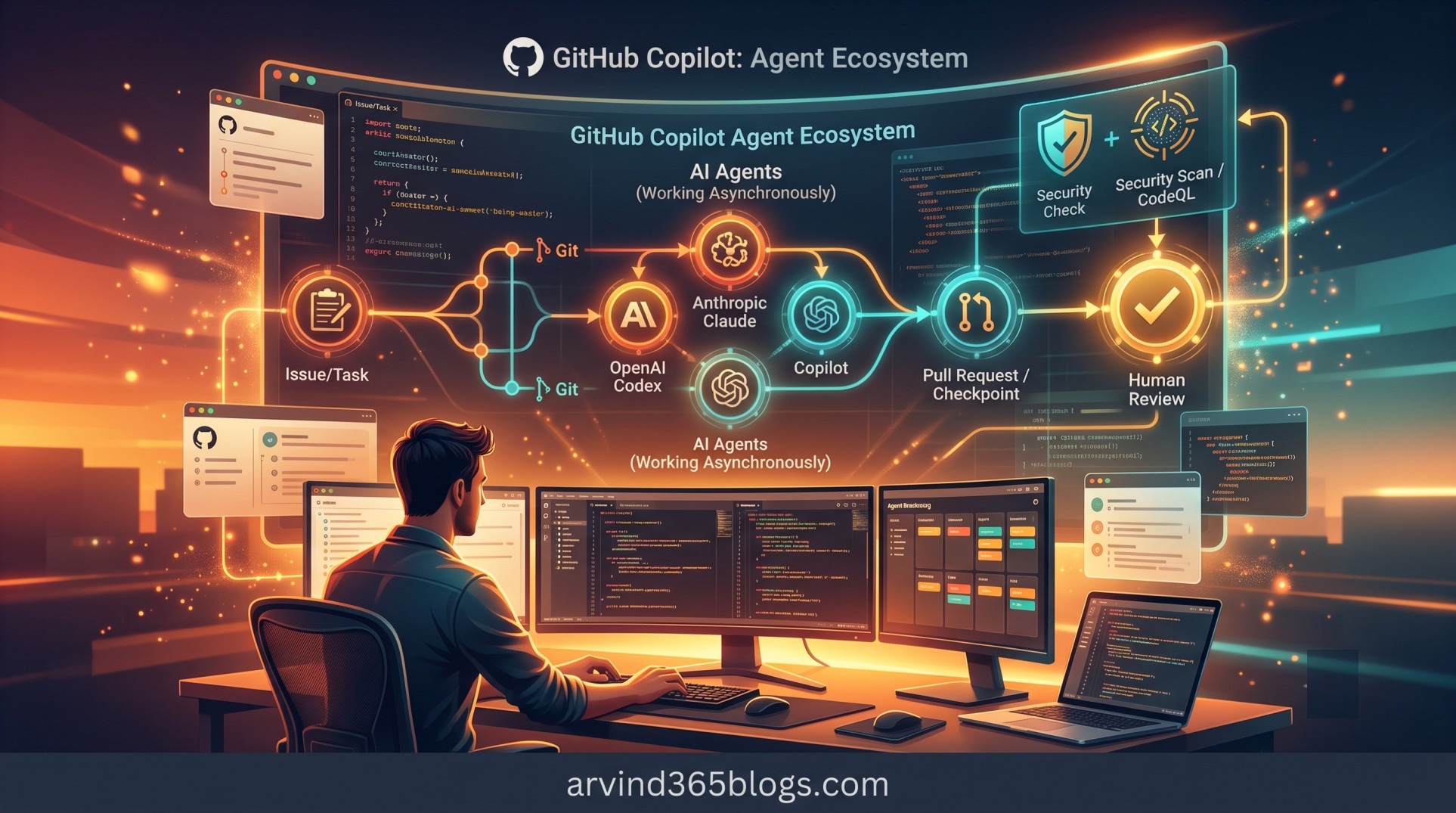
GitHub Copilot: Bringing Third-Party Coding Agents into Your Development Workflow
GitHub Copilot started as an AI assistant that helped developers write code. Today, the experience is moving toward something more powerful: AI agents that can take a development task, work asynchronously, create changes and ask humans to review the result.
GitHub's support for third-party coding agents extends this idea beyond Copilot's own cloud agent. Developers can use partner agents alongside Copilot cloud agent and choose the agent that best fits the task.
This capability is currently available for all paid GitHub Copilot plans. Third-party coding agents are also currently in public preview, so capabilities and behavior may evolve over time.
In simple terms, GitHub becomes a place where different specialized coding agents can participate in the software development lifecycle - while developers remain responsible for intent, review and final decisions.
What Are Third-Party Coding Agents?
Third-party coding agents are partner-built agents that can work asynchronously on development tasks within GitHub. You can assign an existing issue or provide a natural-language prompt and the agent works on the requested changes and creates a pull request.
Third-party coding agents are different from custom agents. Third-party coding agents are partner-provided agents such as Anthropic Claude and OpenAI Codex that can work alongside Copilot cloud agent. Custom agents, on the other hand, are specialized Copilot agents that organizations or developers configure with their own instructions, tools and MCP servers.
Developer
    ↓
Assign Issue / Give Prompt
    ↓
Third-Party Coding Agent
    ↓
Work Asynchronously
    ↓
Create Pull Request
    ↓
Human Review
    ↓
Iterate with Comments
This creates a different interaction model from traditional AI-assisted coding. Instead of asking AI to help with every individual line of code, you can delegate a larger development task and review the outcome.
The shift is from “help me write this code” to “work on this development task and bring me the result for review.”
Where Can You Start a Coding Agent?
GitHub provides several ways to start a coding-agent session, so the experience fits naturally into different stages of development.
Select an available agent under the prompt box in the Agents tab, start a task and watch the agent work toward a pull request.
Assign a coding agent to an existing issue. This is useful when the required work is already captured as a development task.
Mention the agent using @AGENT_NAME in a pull request comment and ask it to make changes.
From the Home view in GitHub Mobile, you can start a new agent session and delegate work while away from your desktop.
In Visual Studio Code, you can start a new session in the chat view or delegate an existing session to a different agent.
Which Agents Are Supported?
GitHub currently documents support for two third-party coding agents:
- Anthropic Claude - a third-party coding agent available through GitHub's agent experience.
- OpenAI Codex - another third-party coding agent that can work asynchronously on development tasks.
The important point is that developers do not have to depend on a single agent for every type of work. Different agents can provide different strengths and developers can choose between them.
Choosing the AI Model
When starting a task with a third-party coding agent, GitHub allows you to select the AI model used by the agent. Different models may perform better depending on the type and complexity of the task.
GitHub also provides an Auto option for third-party agents. However, GitHub specifically notes that Auto for third-party agents does not use Copilot's own auto model selection.
Development Task
       ↓
Choose Agent
       ↓
Choose Model / Auto
       ↓
Agent Executes
       ↓
Review Pull Request
This gives development teams another level of flexibility: the agent and the model can both become part of the decision-making process.
Security Validation
Delegating coding work to an AI agent naturally raises an important question: What happens when the agent generates or changes code?
GitHub states that third-party coding agents are subject to the same security protections, mitigations and limitations as Copilot cloud agent. When a third-party coding agent creates or modifies code, GitHub automatically scans the generated code for security issues and attempts to resolve them before the pull request is finalized.
- CodeQL: Identifies code security issues.
- Secret scanning: Detects sensitive information such as API keys and tokens.
- Dependency checks: Newly introduced dependencies are checked against the GitHub Advisory Database for malware advisories and High or Critical vulnerabilities.
An important point for teams planning adoption: this security validation does not require a GitHub Advanced Security license.
Agent autonomy should increase delivery speed - not reduce engineering discipline. Security scanning and human review remain essential.
What Does It Cost?
Coding agents consume both GitHub Actions minutes and AI credits. AI credit consumption depends on factors such as the model used and the number of tokens processed during the agent session.
Within the included GitHub Actions minutes and AI credits of your plan, you can use the agents without additional charges. Teams should still monitor usage when adopting agent-based development at scale.
How Organizations Enable Third-Party Agents
Before coding agents can be assigned to tasks on GitHub, they need to be enabled through the relevant account or organization policies.
For individual Copilot subscribers, agent policies are managed at the individual level. For Copilot Business and Enterprise, organizations and enterprises can control the relevant Copilot policies.
There is also an important distinction for Visual Studio Code: the GitHub policies described for GitHub-hosted coding agents do not apply to local agents in VS Code. Agent settings for VS Code are managed through Visual Studio Code's own configuration.
Partner Agents and GitHub Apps
When partner agents are enabled in Copilot cloud agent settings, GitHub installs a corresponding GitHub App for the agent.
Allow Claude Coding Agent
        ↓
anthropic code agent

Allow Codex Coding Agent
        ↓
openai code agent
Actions taken by these GitHub Apps are visible in the audit log. However, GitHub notes that the GitHub Apps themselves do not appear in the normal list of GitHub App installations in the account.
The Product & Engineering Impact
From a product and technology leadership perspective, third-party coding agents introduce an interesting shift in software delivery.
Previously, the main question was often: “How can AI help the developer?”
With coding agents, the question becomes: “Which agent should execute this task and what should the human review?”
This creates a new delegation model:
Human Intent
     ↓
Task Definition
     ↓
Right Agent
     ↓
Right Model
     ↓
Automated Execution
     ↓
Security Validation
     ↓
Pull Request
     ↓
Human Decision
Developers can spend less time on repetitive implementation work and more time on architecture, requirements, testing strategy, code review and business outcomes.
From One Copilot to an Agent Ecosystem
This is perhaps the most interesting part of third-party coding agents. The future does not necessarily mean one AI agent doing everything.
Instead, software development can evolve toward an ecosystem where different agents are selected for different tasks, while GitHub provides the workflow around them.
“AI assistant” ➔ “Autonomous coding agent” ➔ “Multi-agent development ecosystem”
A developer can choose different agents for different development tasks and use the pull request as the human-controlled checkpoint for reviewing and iterating on the work
Things to Keep in Mind
Because third-party coding agents are in public preview, capabilities and behavior can evolve over time.
For enterprise adoption, teams should pay particular attention to agent policies, model selection, AI credit consumption, Actions usage, security validation and the review process for generated changes.
Final Thoughts
Third-party coding agents are an important step in the evolution of GitHub Copilot. They allow developers to move from using AI only as an assistant to delegating complete development tasks to specialized agents.
The developer remains in control: define the intent, select the right agent, review the pull request, provide feedback and make the final decision.
The future of AI-assisted development is not about replacing the developer. It is about giving developers an ecosystem of agents that can execute more of the work while humans remain accountable for quality, architecture and value.
For product and engineering teams, this creates a powerful new possibility: turn development tasks into delegated work, not just assisted work.