GitHub Copilot Cloud Agent: Building Custom Agents for Tailored Workflows
As software teams scale their adoption of AI, one truth quickly becomes evident: a generic coding assistant cannot fully grasp every proprietary architectural rule, domain pattern or internal deployment checklist that your organization relies on.
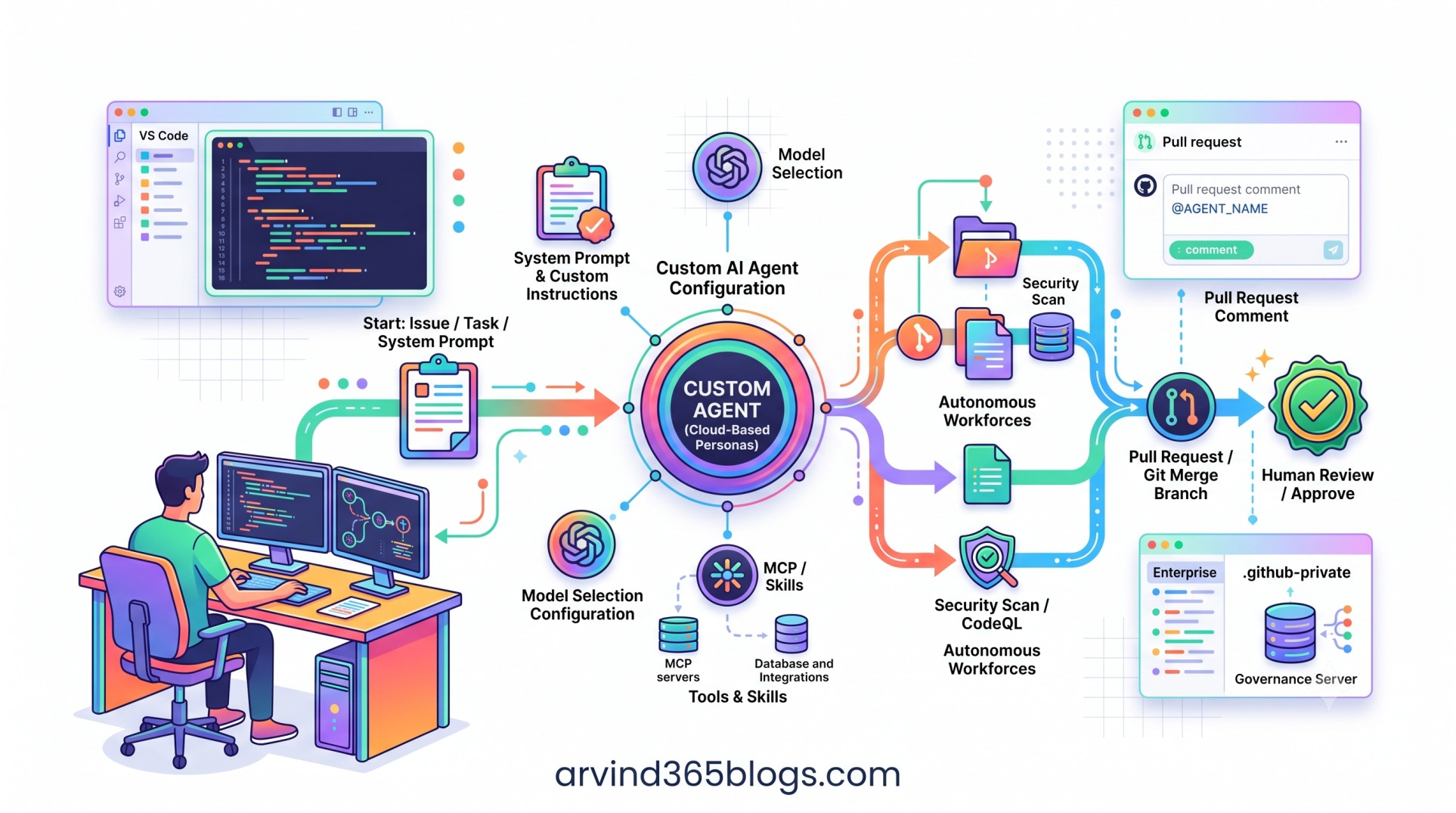
To bridge this gap, GitHub introduces Custom Agents for Copilot Cloud Agent. Custom agents are specialized, persistent configurations of Copilot cloud agent that maintain domain-specific instructions, preferred foundation models, custom tools and external protocol integrations.
Instead of repeatedly typing repetitive system prompts or coaching an AI from scratch in every session, teams can now create reusable, specialized AI coworkers that execute delegated engineering tasks with consistent quality.
What Exactly Is a Custom Agent?
A custom agent is a tailored persona of GitHub Copilot cloud agent designed to perform specific classes of work. While Copilot cloud agent provides the isolated, cloud-based execution environment, a custom agent defines the exact rules of engagement.
Custom agents are distinct from third-party agents and agent apps:
• Third-Party Agents: Partner-provided agents (e.g., Anthropic Claude, OpenAI Codex) running in the GitHub ecosystem.
• Agent Apps: Packaged GitHub Apps exposing partner tools and services into your workflow.
• Custom Agents: In-house configured agents combining proprietary instructions, models, skills and MCP servers.
Whether you need a dedicated "Bug Triage Specialist," an "Architecture Compliance Reviewer," or an "End-to-End Migration Bot," custom agents encapsulate that knowledge into a single assignable entity.
Core Anatomy of a Custom Agent Configuration
Each custom agent profile is built from several modular components that govern its reasoning, reach and boundaries:
A clear name and concise description identifying the agent’s specific mandate. This helps developers select the right agent from the dropdown UI or issue assignment panel.
The behavioral foundation of the agent. Here you outline coding standards, linting mandates, design pattern enforcement, branch conventions and specific steps to take before submitting a pull request.
Choose the optimal underlying Large Language Model (LLM) for the job. Pair lighter, rapid models with repetitive refactoring or choose deep reasoning models for complex domain refactoring and algorithmic updates.
Supercharge the agent with active capabilities. Through Model Context Protocol (MCP) servers and agent skills, a custom agent can connect to enterprise issue trackers, fetch private schema definitions, run integration test runners or query database catalogs.
Where Do Custom Agents Live in Your Workflow?
Once configured, custom agents seamlessly surface across the entire GitHub collaboration canvas:
- Agents Tab & Panel: Choose your specialized custom agent directly from the agent selection list and provide natural language directives.
- Issue Assignment: Assign a custom agent directly to an issue. The agent spins up in an isolated cloud container, analyzes the task, applies code changes and submits a pull request.
- Pull Request Mentions: Call the agent via
@AGENT-NAMEin PR reviews to resolve feedback, generate missing regression suites or reformat logic according to team standards. - Scheduled Automations: Trigger custom agents programmatically on schedule or via event-based workflows to audit deprecated packages or perform continuous codebase hygiene.
Custom agents transform generic prompts into institutional memory. Best practices no longer live solely in documentation wikis - they are codified directly into the AI doing the execution.
Enterprise Governance & Scalable Distribution
For large enterprises, maintaining agent consistency across hundreds of microservices and repositories is paramount. GitHub enables structured governance paths:
Enterprise Governance
       ↓
.github-private Repository
       ↓
Central Agent Profiles & MCP Standards
       ↓
Applied Across Organization Repositories- Centralized Configurations: Organizations can manage and distribute approved custom agent profiles centrally (such as through a designated
.github-privaterepository), ensuring teams don't redefine standard security and testing agents in silos. - Access Policies: Enterprise administrators can govern which teams have access to build, modify or trigger custom agents and restrict external MCP endpoints.
- Audit Logging: Every session executed by a custom agent is tracked with full visibility into tool invocations, files modified and generated commits.
Product & Architectural Value
From a technology leadership and product delivery perspective, custom agents represent the realization of true software delegation:
“Repetitive Context Prompting” ➔ “Pre-Tuned Specialist Agents” ➔ “Autonomous, Governed Delivery”
By offloading repetitive task setup into pre-tuned custom agents, senior architects can encode project-specific architectural guidelines once and ensure that every junior engineer or autonomous background task adheres to those exact quality bars.
The competitive edge in AI-assisted development is not merely having an AI assistant - it is having an AI configured with your team's specific architectural expertise, domain tools and governance standards.
Final Thoughts
Custom agents for GitHub Copilot cloud agent represent a decisive shift from generalized chatbots to specialized, actionable AI teammates.
By giving development teams the ability to tailor system instructions, assign specialized models and integrate external tools via MCP, GitHub is turning repositories into collaborative environments where human ingenuity sets the vision and purpose-built agents handle the mechanical heavy lifting.
The modern delivery blueprint:
Don't settle for one-size-fits-all AI. Define specialized custom agents for your critical engineering workflows, govern them centrally and let your teams focus on high-impact business value.