October 25, 2026 | GitHub Copilot | AI Models | AI Productivity | 5 min read
GitHub Copilot Auto Model Selection: Let AI Choose the Right Model
AI coding assistants are becoming part of everyday software development. But as the number of AI models continues to grow, another question is becoming common: Which model should I use for this task?
GitHub Copilot is addressing this challenge with Auto model selection - an approach that automatically chooses a suitable model for the task instead of making developers select a model for every conversation.
I find this particularly interesting because it moves AI assistance from simply providing multiple model choices to intelligently deciding which capability is appropriate for the work at hand.
What is Auto model selection?
GitHub describes Auto model selection as an intelligent system that can select the best model for each task. It considers both the complexity of the task and real-time model health and availability. Auto model selection is available with all GitHub Copilot plans.
In simple terms, instead of asking developers to understand the strengths, cost and availability of every model, Copilot can make that routing decision automatically.
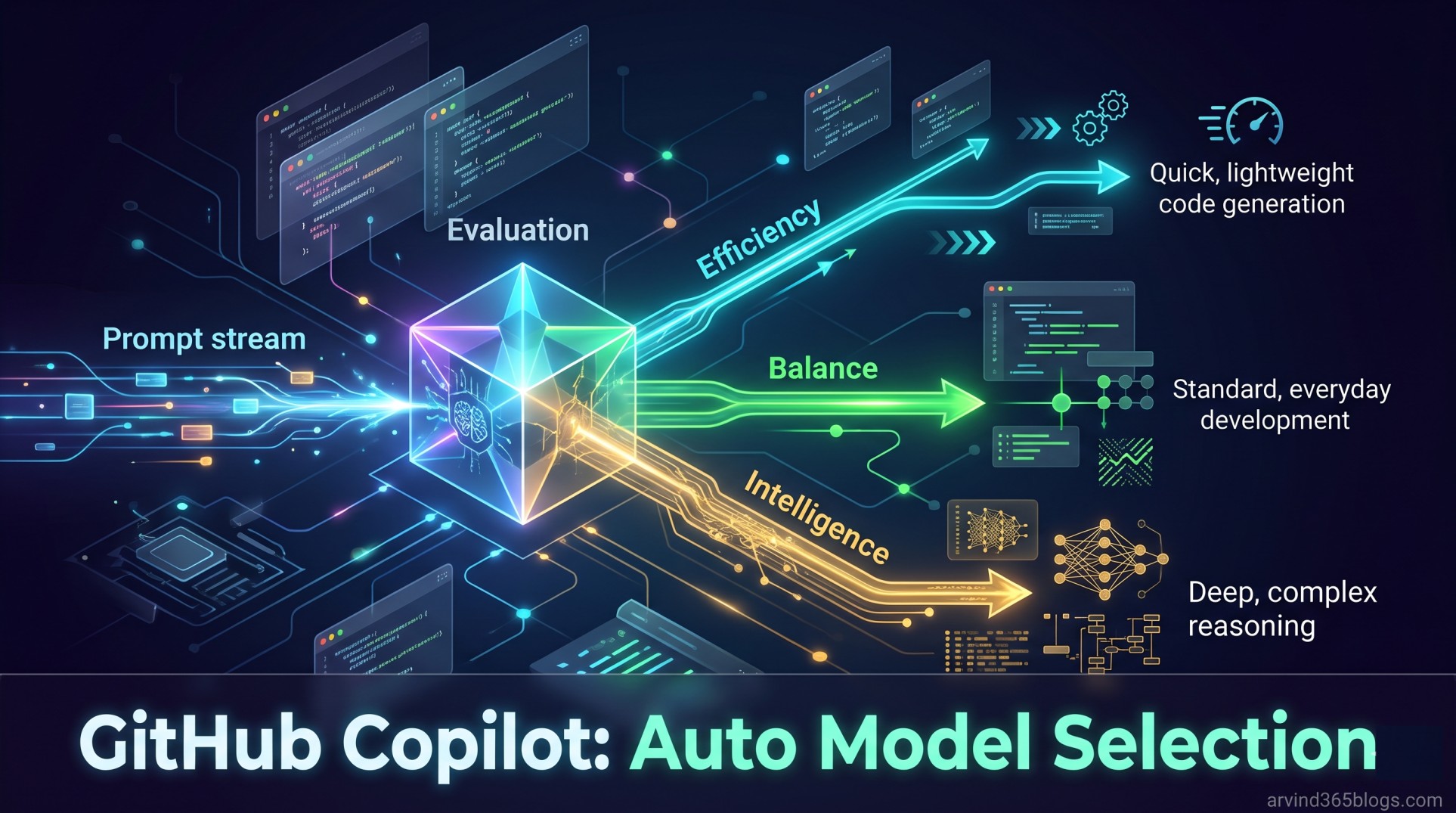
Your Prompt → Task Evaluation → Model Selection → Copilot ResponseThe goal is not simply to always select the most powerful model. It is to select a model that is appropriate for the task and can solve it efficiently.
How does it work?
GitHub explains that Auto with task optimization combines two important signals:
- Task complexity - understanding what the prompt requires.
- Real-time model health and availability - considering which models are currently available and performing reliably.
These signals are used together to route the request to an appropriate model. Copilot can therefore use a faster, lower-cost model for straightforward work while reserving more capable reasoning models for tasks that genuinely need them.
GitHub also notes that routing occurs along natural cache boundaries and when there are large changes in conversation complexity. This helps avoid additional cache-related costs when changing models would not provide a quality improvement.
The interesting part is not choosing a model. It is choosing the right capability for the task.
Three Auto tiers
GitHub provides three Auto tiers when task optimization is available. These tiers influence how Copilot preferentially routes prompts.
1. Efficiency
Focuses on cost and is well suited to fast, straightforward tasks.
2. Balance
Balances cost, quality and latency, making it a good option for everyday development work.
3. Intelligence
Prioritizes quality for more complex tasks. Interestingly, even in this tier, a simple prompt may still be routed to a smaller model when that is appropriate.
Efficiency → Cost
Balance    → Cost + Quality + Latency
Intelligence → Quality
This gives developers a useful control without requiring them to manually select a specific model for every prompt.
Why this matters for developers
1. Less model-selection overhead
Developers no longer need to continuously compare model names, capabilities and pricing before starting a task. They can focus on describing the problem.
2. Better cost efficiency
Not every task requires the most capable reasoning model. Auto routing can use an appropriately capable model for simpler work and reserve higher-cost models for more demanding problems.
3. Better reliability
Auto model selection can take real-time model health and availability into account. GitHub notes that this can help reduce rate limiting, latency and errors.
4. A more consistent developer experience
The model landscape changes quickly. Auto selection reduces the need for developers to constantly keep track of every new model and decide which one should be preferred.
5. Lower model costs
GitHub also provides a 10% discount on model costs for users on paid Copilot plans when using Auto model selection in supported experiences such as Copilot Chat, Copilot CLI, the GitHub Copilot app and Copilot cloud agent.
A simple example
Imagine I am working in GitHub Copilot and ask:
“Explain why this JavaScript function is returning an unexpected result.”
This may not require the same level of reasoning as a request such as:
“Analyze this large application architecture, identify the performance bottlenecks and propose a migration strategy.”
With Auto model selection, Copilot can evaluate the task and route each request to an appropriate model rather than treating every prompt as if it needs the same level of capability.
Auto is not simply “use the biggest model”
This is probably the most important point for me.
A common assumption with AI is that the most capable model should always produce the best result. In practice, the task, latency, cost and available capacity all matter.
GitHub's Auto approach is more like an intelligent routing layer:
Simple task   → Efficient model
Everyday task → Balanced choice
Complex task  → Higher-capability model
This is a more practical way to think about multi-model AI.
What about control and policies?
Auto model selection does not ignore organizational controls. Copilot selects from supported models subject to the user's subscription and applicable policies.
Models unavailable in the plan, excluded by administrator policies or restricted by certain data-residency, FedRAMP or evaluation-model policies are not included in Auto selection.
This is important for enterprise adoption because intelligent automation still needs to operate within governance boundaries.
Where can I use it?
GitHub currently lists Auto model selection with task optimization as generally available in Copilot Chat on the GitHub website and supported IDEs, Copilot CLI, the GitHub Copilot app and Copilot cloud agent.
In IDEs, task-optimized Auto is generally available in VS Code and JetBrains IDEs. Auto model selection optimized for model reliability and availability is generally available in Eclipse, Xcode and Visual Studio.
Auto tiers are currently available in VS Code, Copilot CLI and the GitHub Copilot app.
Another useful detail is transparency: Copilot lets you see which model was used for a response in supported experiences, including Copilot Chat, the GitHub Copilot app, Copilot CLI and Copilot cloud agent.
The product perspective
From a product perspective, I see Auto model selection as a good example of AI reducing decision fatigue.
As AI products mature, users should not always need to understand the underlying complexity to get value from it.
The experience can move from:
“Which model should I select?”
to:
“Here is what I want to accomplish.”
That is a meaningful shift in user experience. The AI system takes responsibility for part of the complexity while the developer remains focused on the outcome.
One more reason I like this approach
I often think of AI as a digital companion rather than just a tool. A good companion should understand the context of the task and help reduce unnecessary decisions.
Auto model selection fits nicely into that idea. Instead of asking me to become an expert in every available model, Copilot can take some of that complexity away and let me concentrate on the problem I am trying to solve.
At the same time, developers can still choose models manually when they need explicit control.
Final thoughts
The number of AI models will continue to grow. For developers, that can be both powerful and overwhelming.
GitHub Copilot's Auto model selection is an interesting response to that challenge: use task complexity, model availability and system health to make intelligent routing decisions.
For me, the bigger idea is not really about model selection.
The future of AI productivity is not giving users more choices. It is making the right choices easier.
That is where I see Auto model selection becoming valuable - less time choosing the AI, more time using the AI to create value.